Stayvote Start a trip
For group trips, and for picking on your own

Pick where you stay, together.

Paste the places everyone keeps sending in the group chat. Each person scores them from 1 to 10 and puts them in their own order. Stayvote names the place the group likes best.

Start a trip Free. Friends join from a link, with no account or app to install. See an example trip.
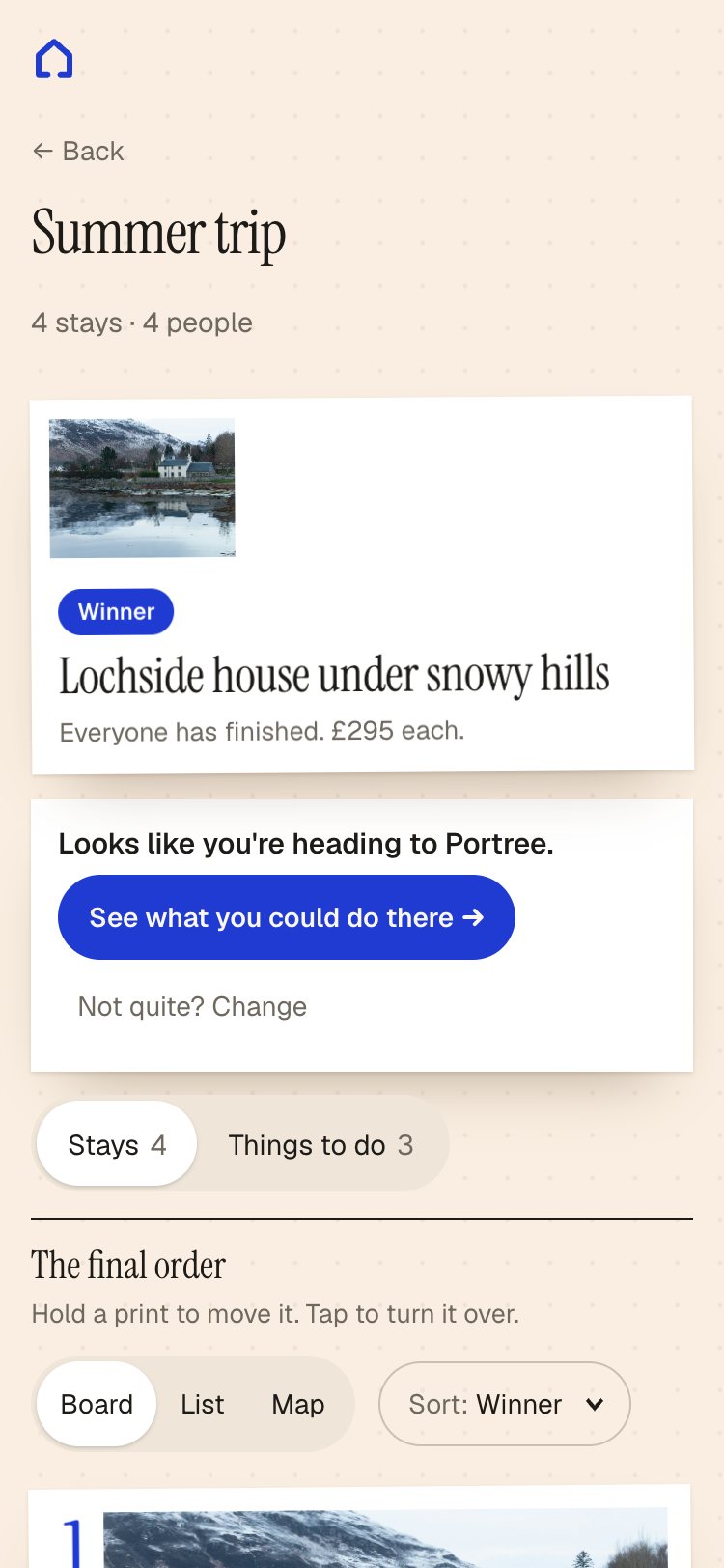
A Stayvote trip on a phone: Summer trip, 4 stays and 4 people, with the winner card for the lochside house under snowy hills at £295 each.
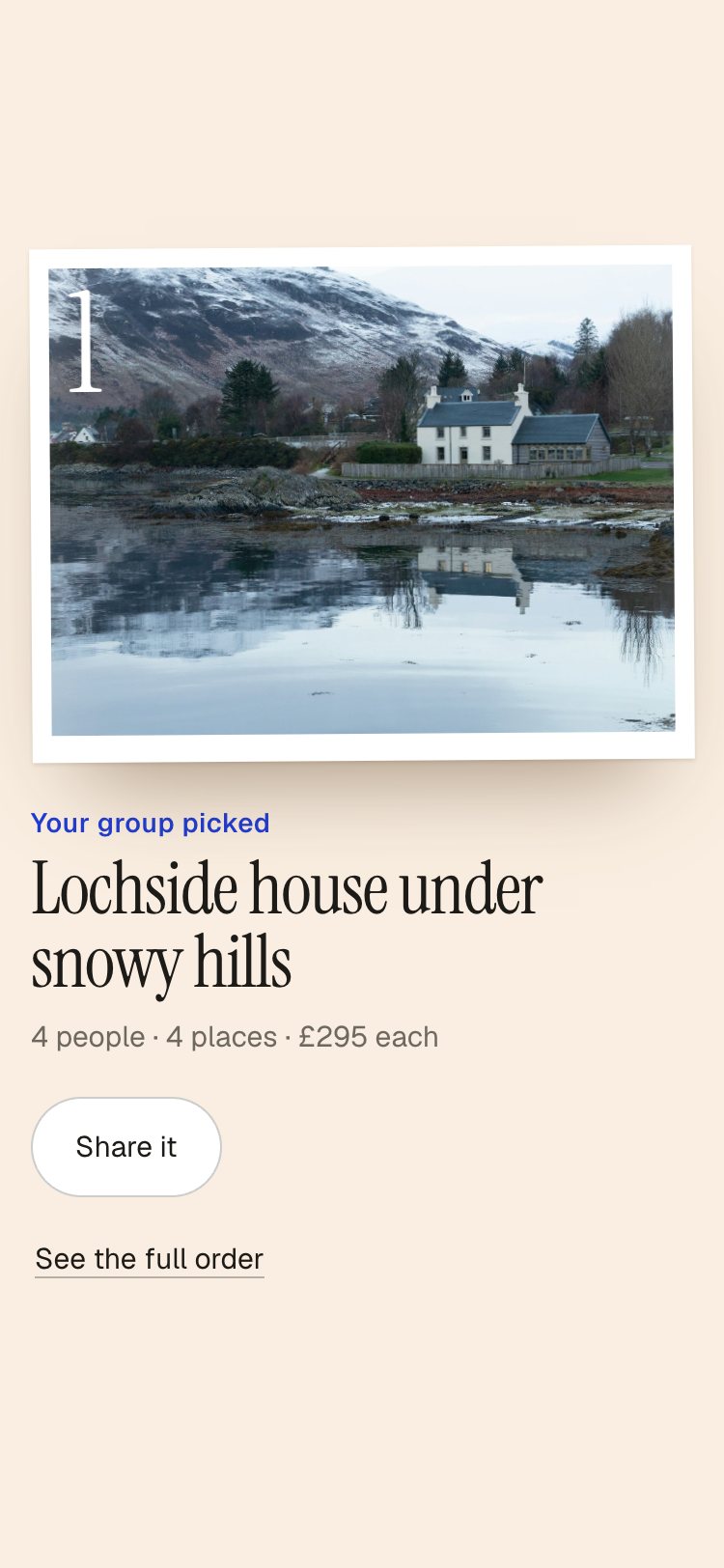
The winner reveal: Your group picked the sea-view cottage above the harbour. 4 people, 4 places, £295 each.
When everyone's finished, a winner

No more scrolling back through 200 messages to find the link with the hot tub, then arguing about it again.

How it works

Pick the place, then plan the trip.

Paste the places you're considering

Start a trip and send the invite link to whoever's coming. Anyone on the trip can add a stay.

Airbnb links fill in by themselves: the photos, rating, guests and where it is on the map. Other websites fill in a name and photo where they can. Booking.com and Vrbo block that, so you type those details in.

Prices are optional. Add the total and Stayvote works out each person's share.
Everyone scores them, and puts them in order

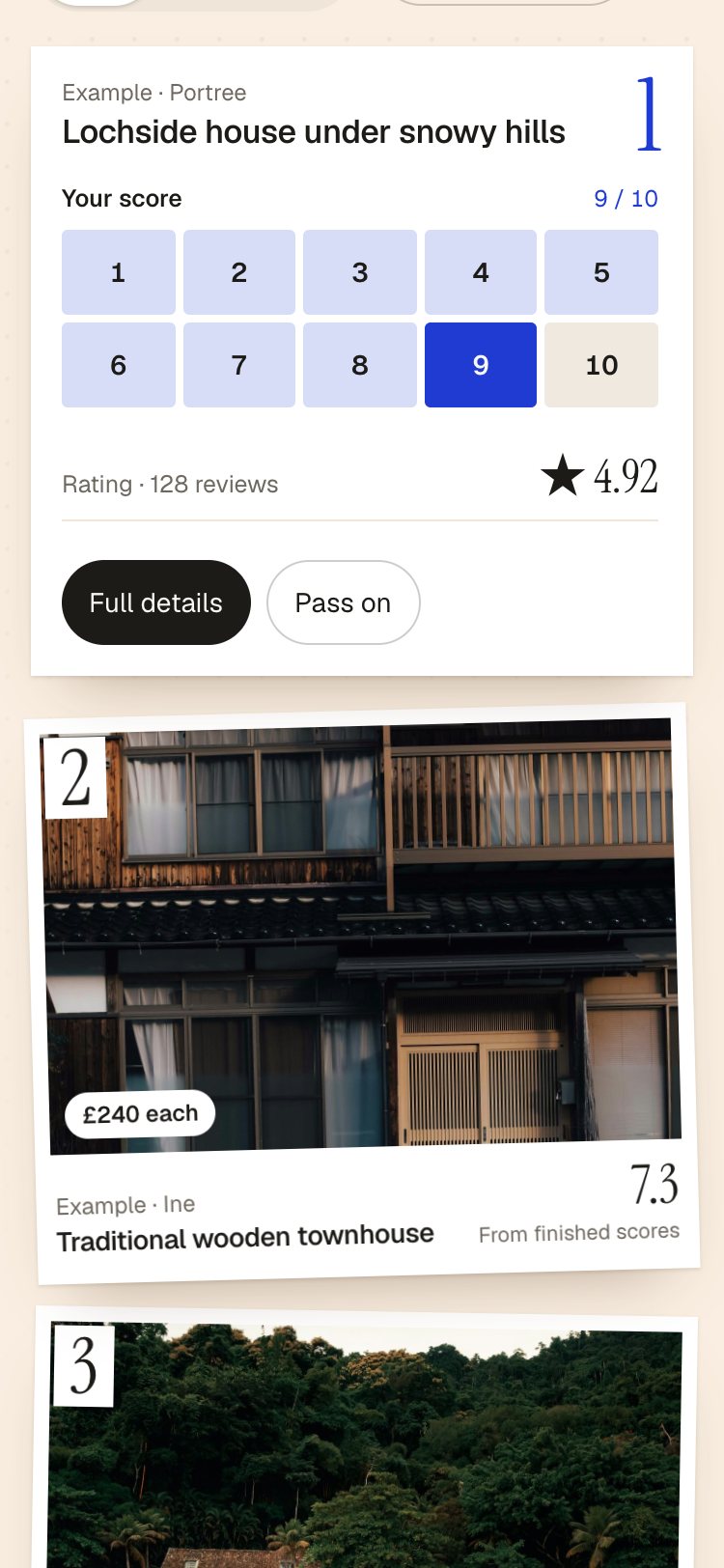
Tap a print to turn it over and give it a score from 1 to 10. Hold it to move it up or down your own list.

You can see who has scored, leave comments, compare two places side by side and see them all on a map.

The back of a print: the sea-view cottage, score buttons from 1 to 10 with 9 picked, a rating of 4.92 from 128 reviews, and Full details and Pass on buttons.
Turn a print over to score it

Press I'm finished, and get a winner

When everyone has finished, Stayvote names the place the group likes best, with the price each and a button to book it on the listing's own site.

Someone still going? The Nudge button lets you send them a reminder with the link. If you're signed in, you get an email when someone finishes and when there's a winner.

Changed your mind? Scores and order stay editable, and the winner updates.

The winner reveal for the sea-view cottage above the harbour, with the number of people and places and the price each.
The winner, revealed

Then vote on what to do there

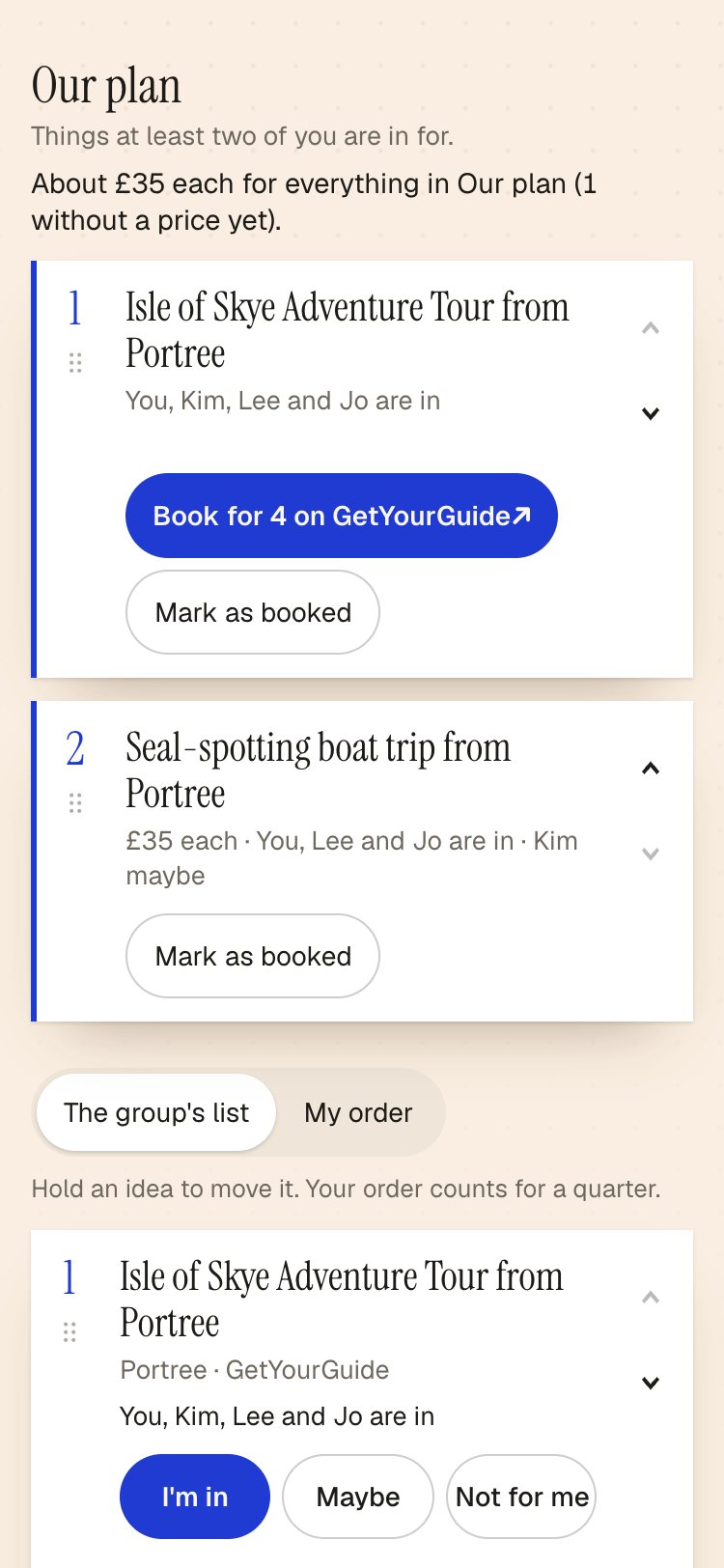
Once you know where you're going, Things to do suggests ideas near your stay. Add any you like, or paste a link, and everyone taps I'm in, Maybe or Not for me.

Anything at least two of you are in for goes on Our plan, ready to book together.

Already know where you're going? Set the place and skip straight to this step.

Things to do on Skye: Our plan shows an adventure tour four people are in for and a seal-spotting boat trip, and below it the group's list with I'm in, Maybe and Not for me buttons.
One tap each, and a plan appears
Brown mountains under a wide sky.

How the winner is chosen

Fair to tough markers and generous ones.

Your scores count for three quarters. Your order counts for one quarter.

Each score is compared with your own top mark, so someone who never gives more than a 7 counts as much as someone who hands out 10s.

Everyone's happiness counts, and the least happy person counts a bit extra, so a place one of you hates rarely wins over one you're all happy with.

Nobody sees anyone else's scores until they've finished, so nobody is swayed by who scored first.

Two places with the same score follow the order you put them in. A close score stays with the place you ranked higher. A much higher score can still move a place up.

On a phone or a laptop

The whole trip on one board.

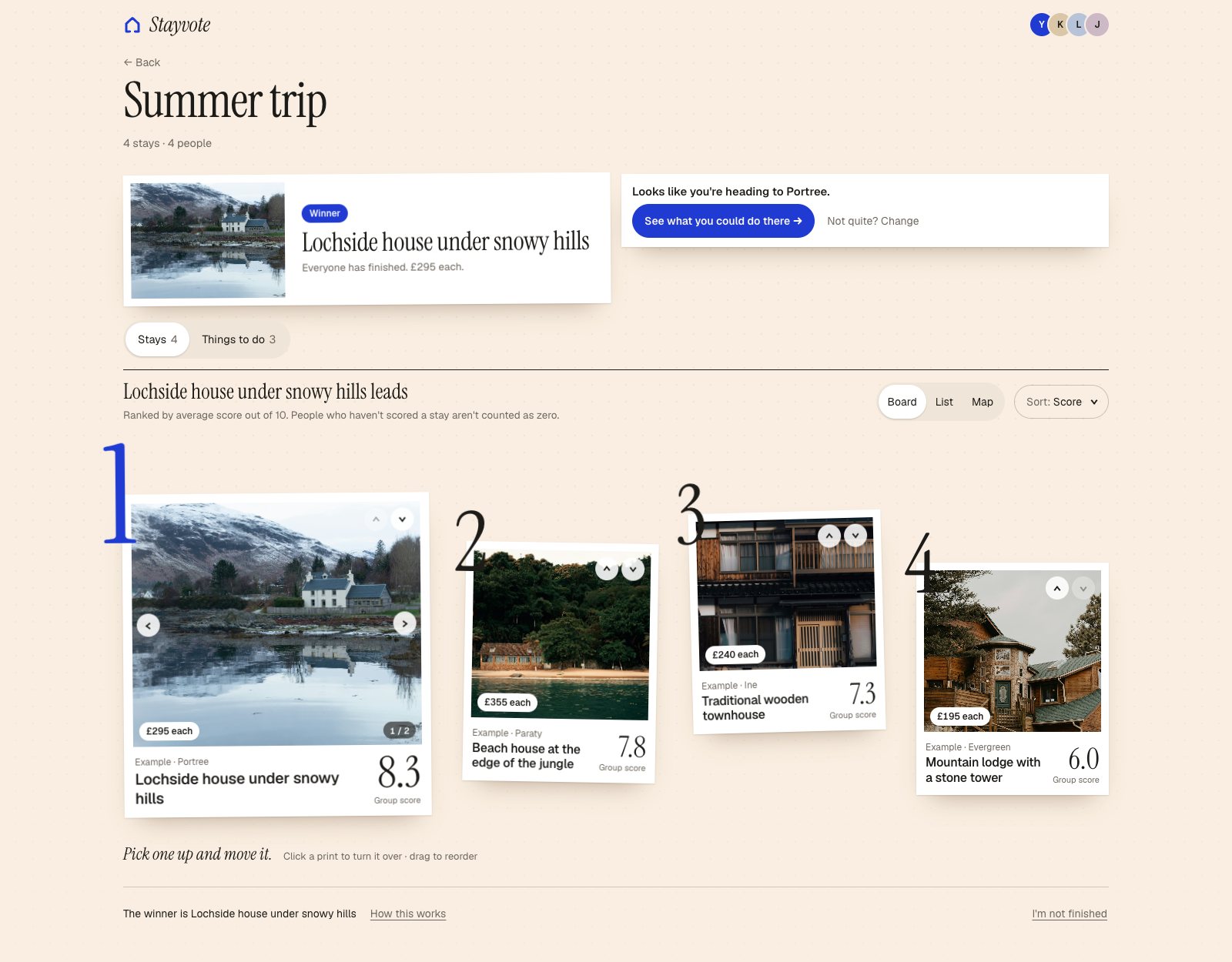
On a bigger screen the places sit side by side like prints on a table. On a phone, add Stayvote to your home screen and it opens like an app.

Stayvote on a laptop: the trip Weekend on Skye with the winner card at the top and four places as tilted prints, numbered 1 to 4, with prices each and group scores.

The details.

Price
Free to use.
Works with
Airbnb, Booking.com, Vrbo, or a link from any website. You can also add a place by hand.
Your friends
Join from the invite link by typing their name. No account needed.
Signing in
Optional, with Google or an emailed code. It keeps your trips on every device.
Booking
Happens on the listing's own site. Stayvote doesn't take payments.
Things to do
Ideas near your stay, plus any link you paste. Everyone votes with one tap.
Privacy
Only people with a trip's link can see it. Stayvote reads the public listing page of links you paste, nothing else.

How Stayvote earns.

What we do

  • Stayvote is free for the whole group.
  • Stay links go straight to the listing site.
  • Some links for car hire and things to do carry a partner code. If you book through one, we may earn a small commission, at no extra cost to you.
  • The scores are yours alone.

What we never do

  • Rank a place because someone pays us.
  • Add a fee or markup to your booking.
  • Sell your group's names or emails.
  • Make anyone create an account just to vote.

Questions

Before you start.

Is Stayvote really free?

Yes. There's nothing to pay and nothing to install. Start a trip from the front page.

Do my friends need an account or an app?

No. They open the invite link in any browser, type the name their friends call them, and they're on the trip.

Does Stayvote book the place for us?

No. Once there's a winner, the button takes you to the listing on Airbnb, Booking.com or wherever it came from, and you book there as normal.

How does Stayvote make money?

Some booking links, such as Vrbo for places to stay and GetYourGuide for things to do, carry a partner code. If you book through one, Stayvote may earn a small fee, at no extra cost to you. The app says so wherever that applies. Airbnb links are left as they are.

Can I use it on my own?

Yes. Score and order the places yourself and Stayvote shows your pick. You can invite people later.

Can Stayvote see my Airbnb account?

No. It only reads the public page of a listing whose link you paste, the same details a chat app shows when you share the link.

Who can see our trip?

Only people with the trip's link. The person who started it can make someone view-only, remove people, or delete the trip. Read the privacy page.

Where are you off to?

Start a trip It takes about a minute.